Butterfly (Crow) Mixer
Butterfly (a.k.a. crow) braking controls descent rate, mainly on gliders: ailerons rise a modest amount while flaps drop a lot, creating significant drag — ideal for controlling a landing approach. This walkthrough assumes a glider whose Flap channels already exist (created by the Model Select wizard), using the throttle stick as the brake input: no butterfly with the stick up, progressively more as it moves down, with elevator compensation so the glider doesn't balloon up as crow is applied.
1. Disable the default Flaps mix
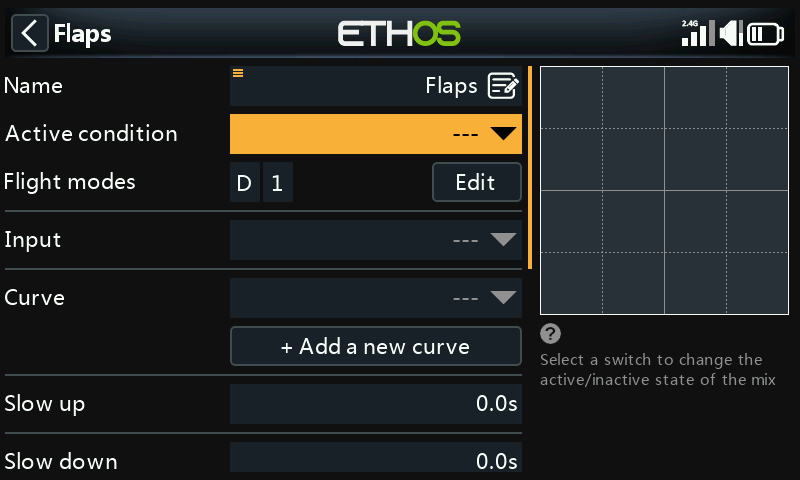
Set the wizard-created Flaps mix's Active condition to --- — it
won't be used.
2. Create the Butterfly mix
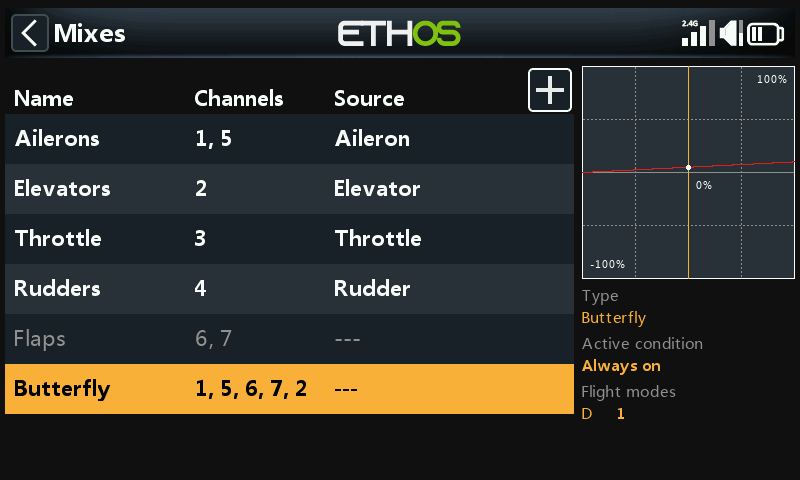
Tap any mix, Add Mix → Butterfly from the mix library, placed after the (now disabled) Flaps mix.
3. Configure the input
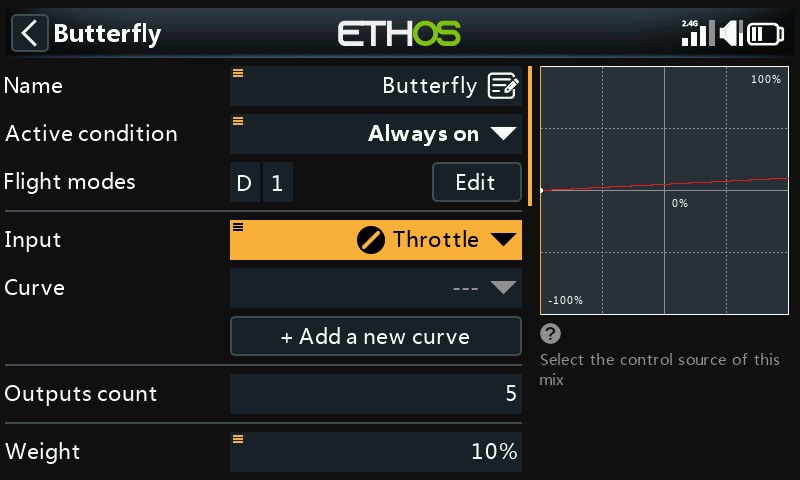
Set Input to Throttle. Since throttle normally reads maximum with
the stick up, and butterfly needs to be 0 with the stick up, long-press
ENT on Throttle and select Invert:
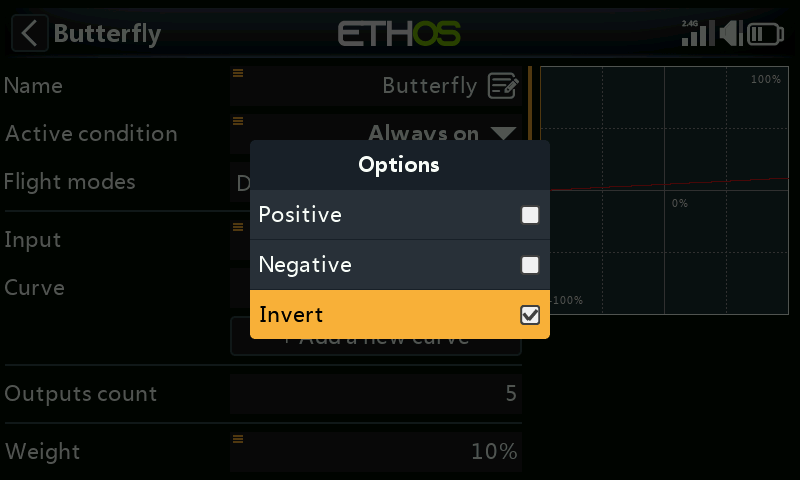
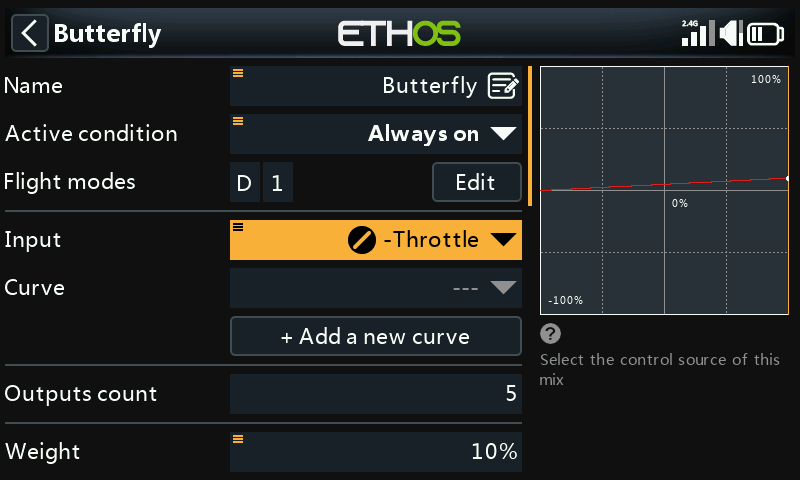
The input now reads 0 with the stick fully up, and the field shows
-Throttle to confirm the inversion. Set Active condition to a
landing flight mode (or other switch) if butterfly shouldn't always be
available.
4. Add a deadband curve
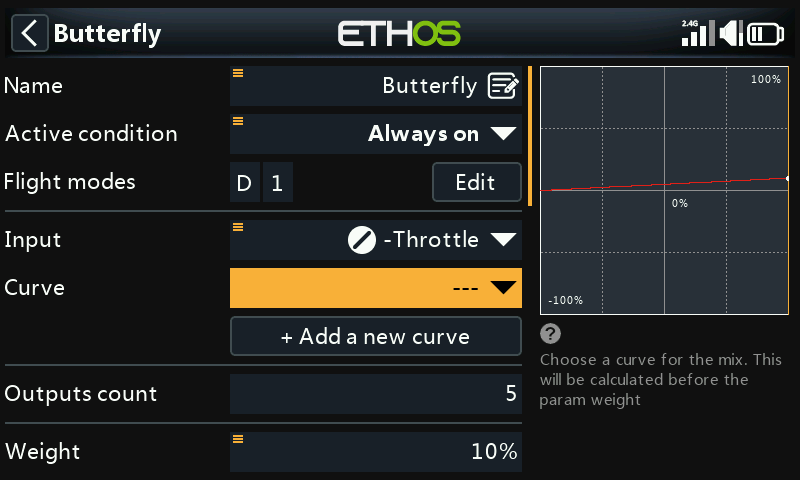
A little deadband at the stick's zero end avoids accidental deployment from small stick noise near the end stop. Add a custom 3-point curve (e.g. named "Crowdb") with Easy mode off, so the X points can be moved:
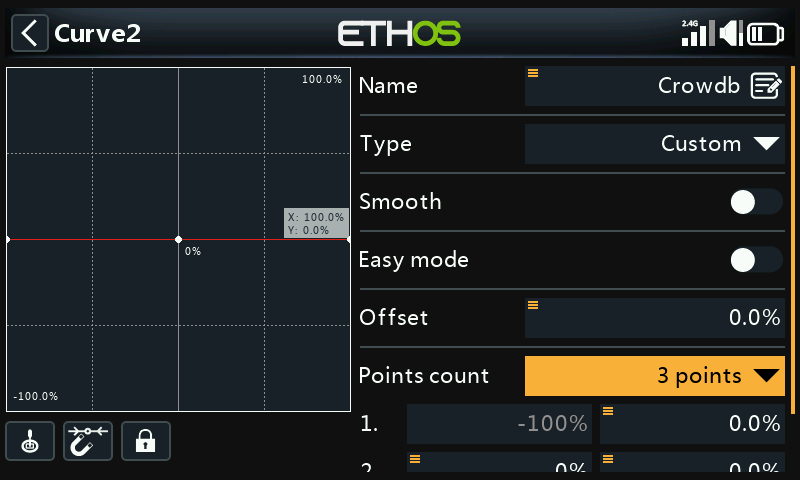
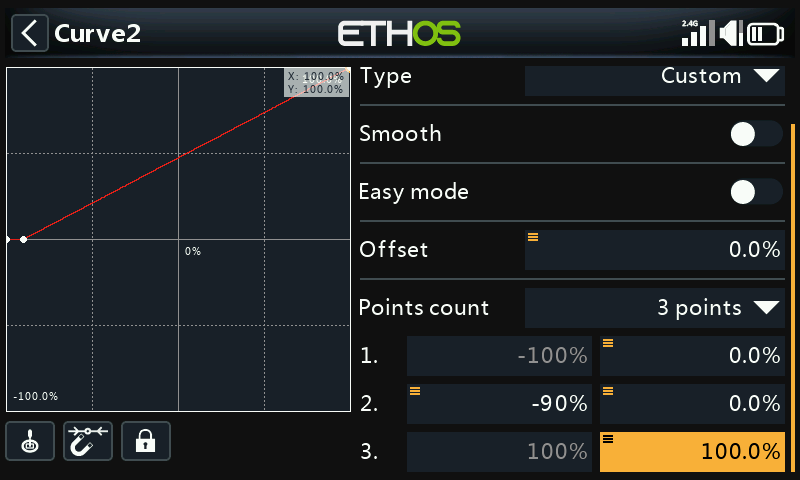
Note
Adding a custom curve to the Butterfly mix removes its internal 0–100 offset (normally applied automatically) — the curve itself now needs to reproduce that 0–100 transform. In this example, output stays 0% until the throttle stick reaches −90%, then rises linearly to 100%:
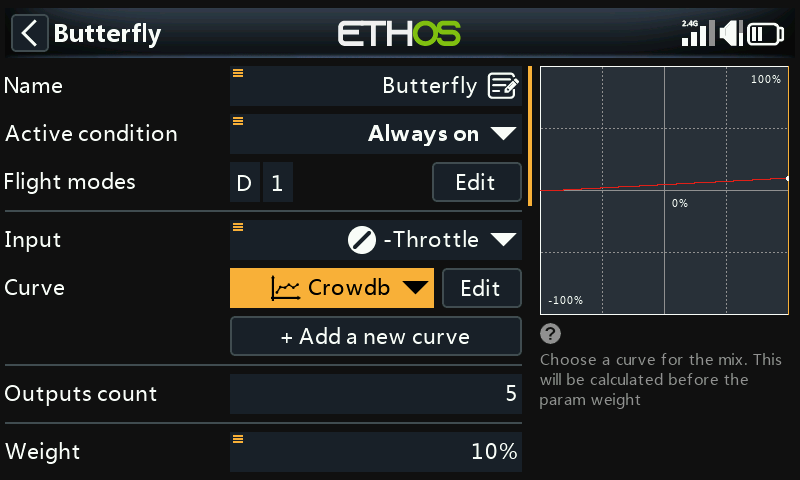
5. Configure ailerons and flaps
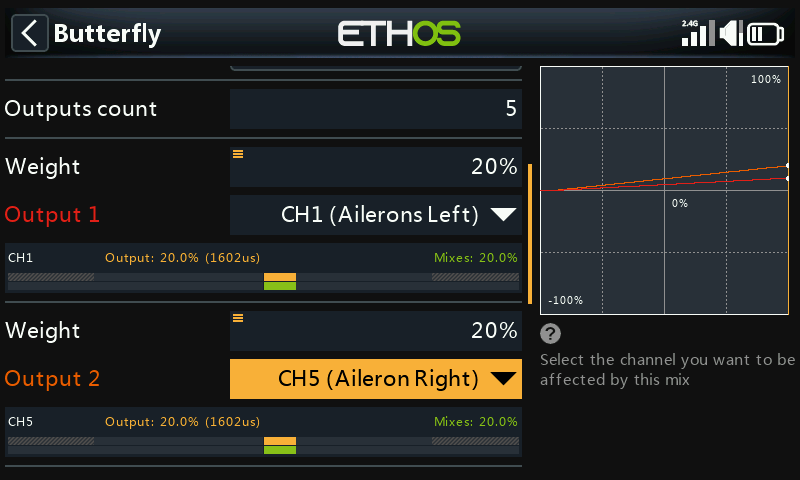
A modest aileron rise (e.g. 20%) paired with a large flap deflection is the usual split. Flaps typically need far more downward than upward travel — commonly achieved by offsetting the flap servo horns 20–30° from neutral in the linkage itself, which leaves the flaps sitting roughly half-down at servo neutral:
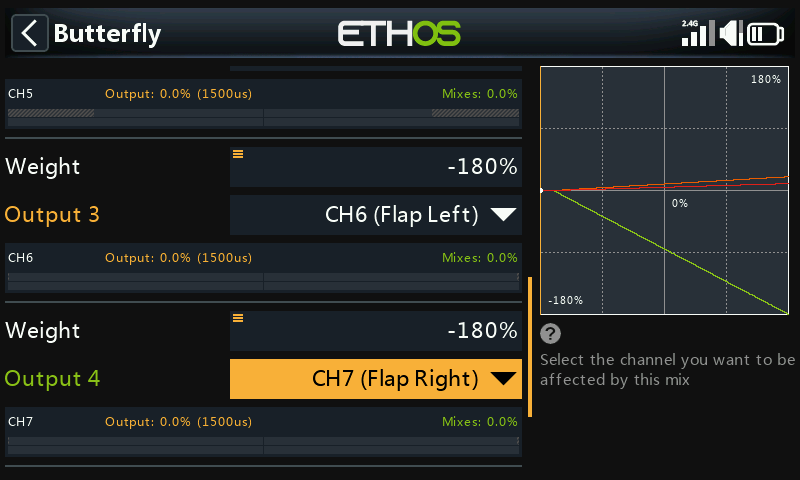
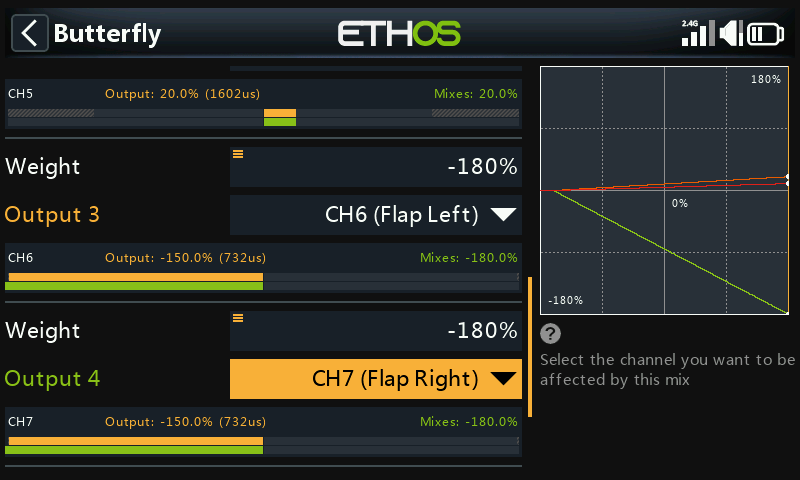
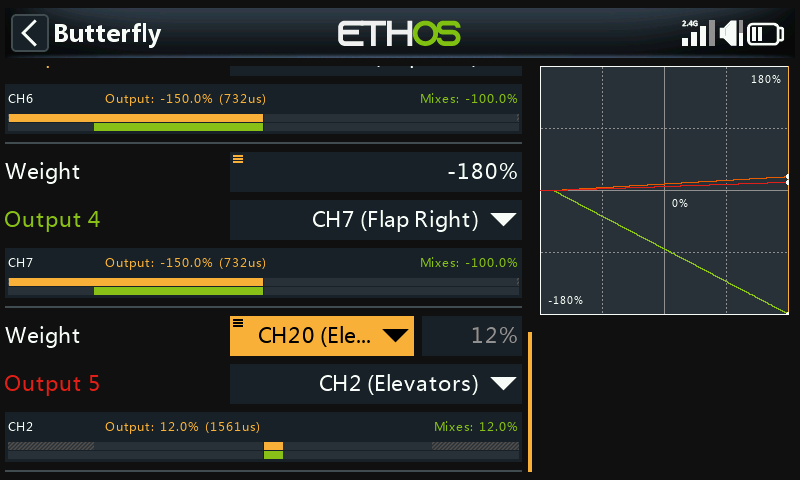
Set the flap mix weight high (e.g. −180%) for maximum travel; the actual physical travel is governed by Outputs Min/Max.
Tip
To avoid over-driving servos, start Outputs Min/Max conservatively (e.g. ±30%) and widen it carefully during final setup, watching for binding.
6. Add a "Flaps Neutral" offset mix
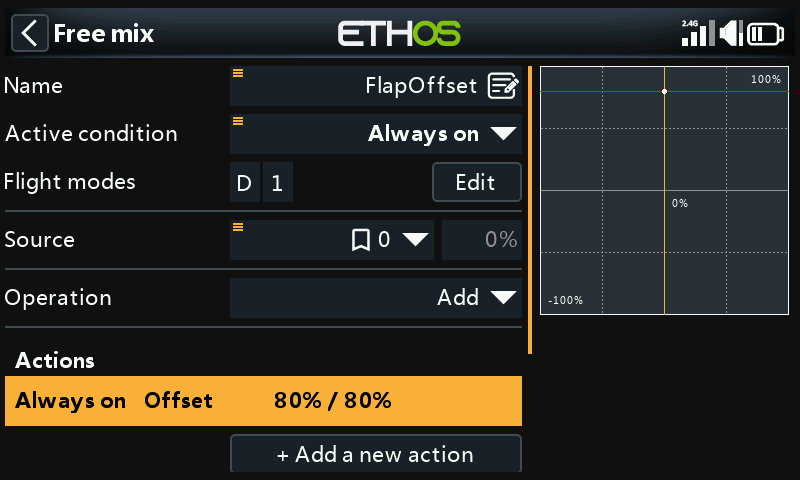
Since offsetting the servo horns leaves flaps deflected ~20–30% at servo neutral, an Offset Mix brings them back to the true wing-neutral position for normal flight. Start with an 80% offset (to be tuned), 2 output channels mapped to both flap channels:
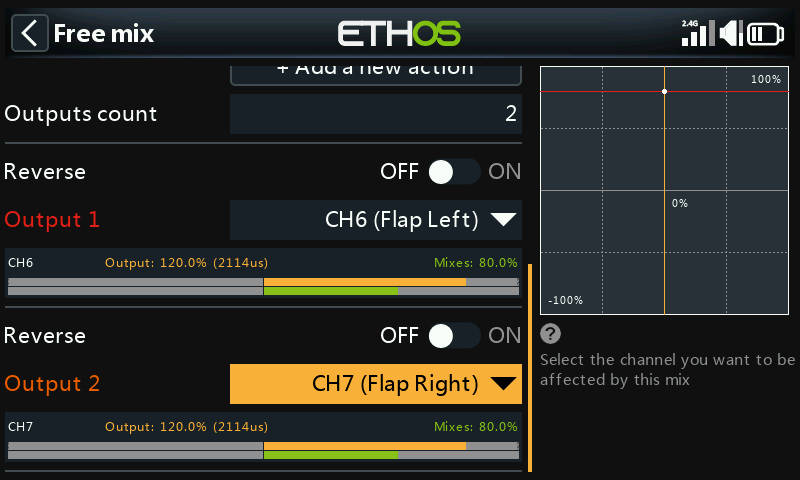
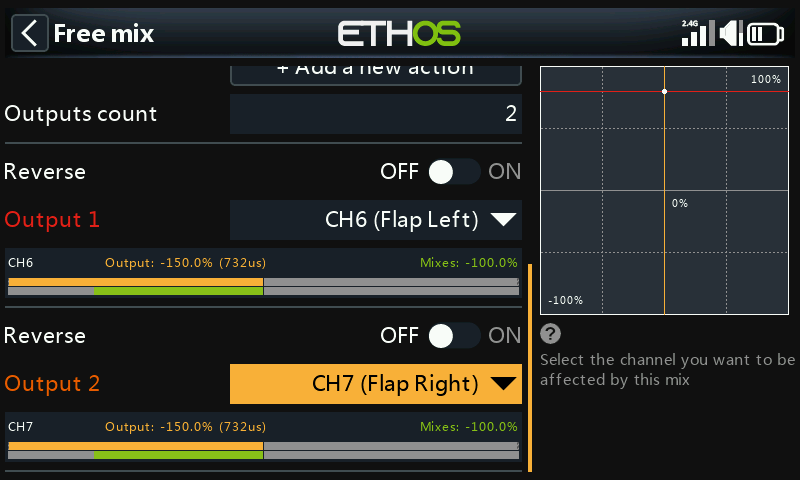
With the throttle stick fully up (Butterfly mix off), confirm the flap mixer values sit at the offset (80%); moving the flap stick to fully deployed should move the mixer output by the full weight (e.g. 80% down to −100%, a 180% swing). Fine-tune actual travel limits in Outputs via Min/Max or a curve.
7. Add the elevator compensation curve and mix
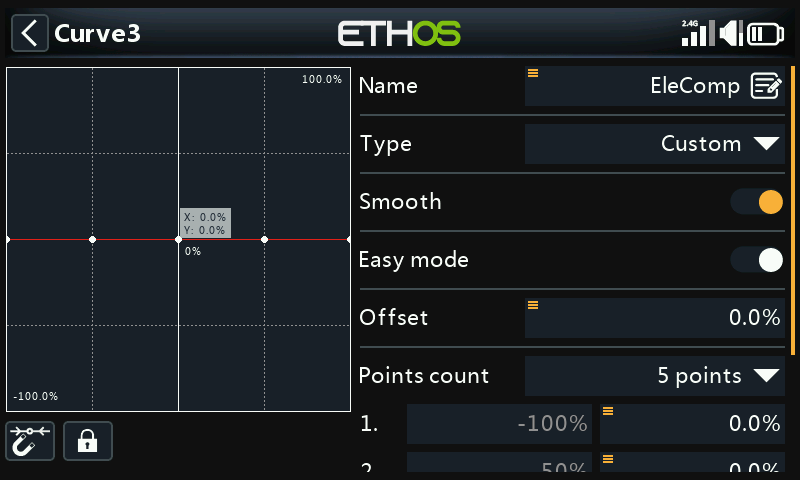
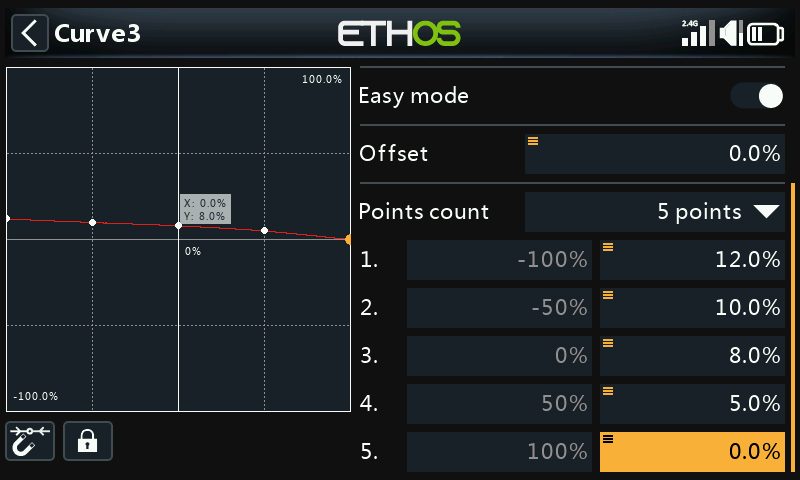
Since the required compensation is non-linear, use a curve rather than a fixed weight. Define a custom 5-point curve (e.g. "EleComp") — this example starts at 12%/10%/8%/5%/0% across its points; without a known starting point for your airframe, these need to be found empirically.
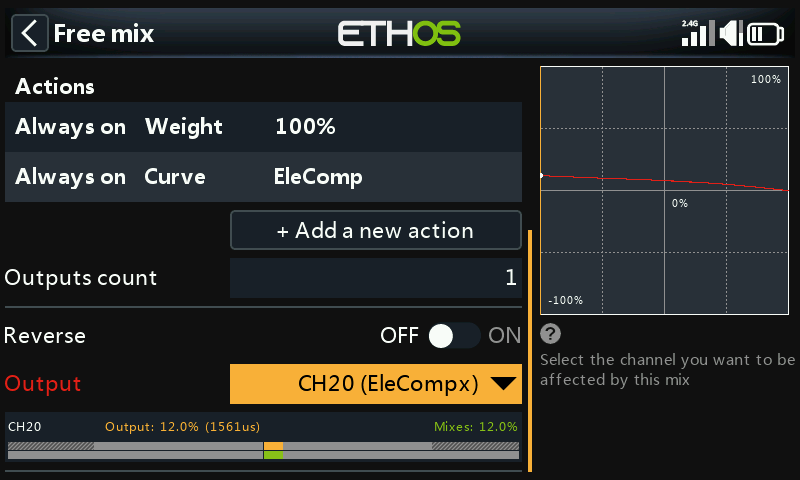
Next, convert that curve into a value usable as a mix Weight: add a Free Mix ("EleCompx") with Throttle as source and the EleComp curve attached, output to a high unused channel (e.g. CH20):
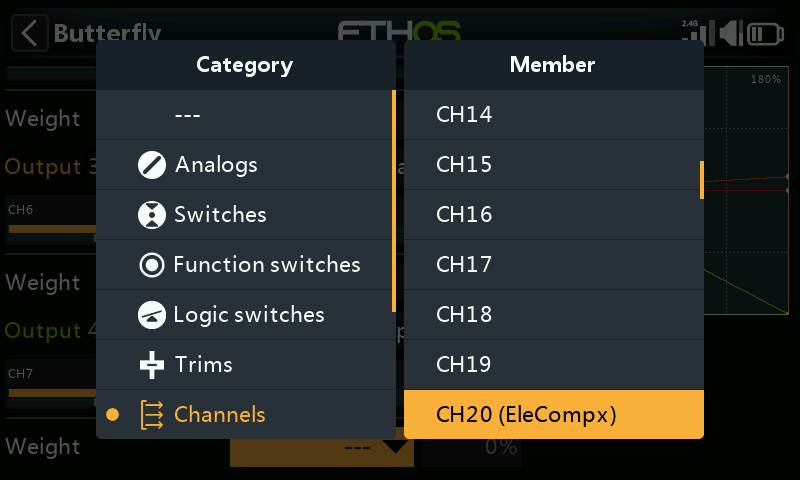
Back in the Butterfly mix, long-press ENT on the Elevator output's
Weight, Use a source, then pick CH20 (EleCompx) from the
Channels category:
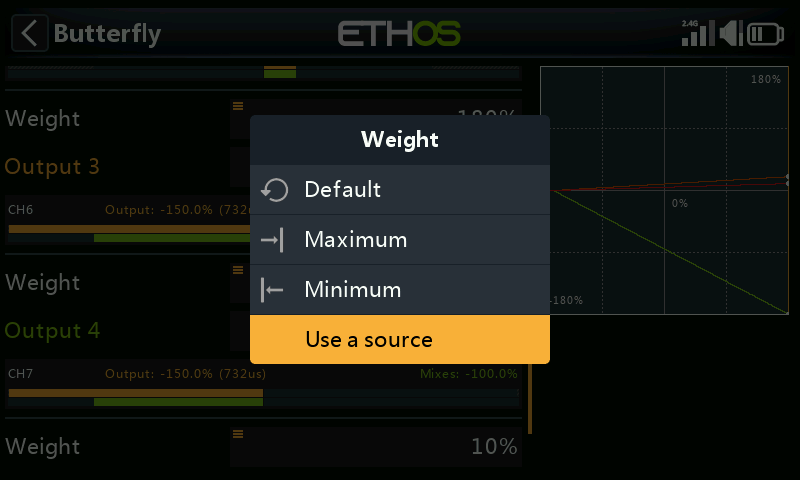
The Butterfly mix is now fully configured:
8. Verify with View by Channel
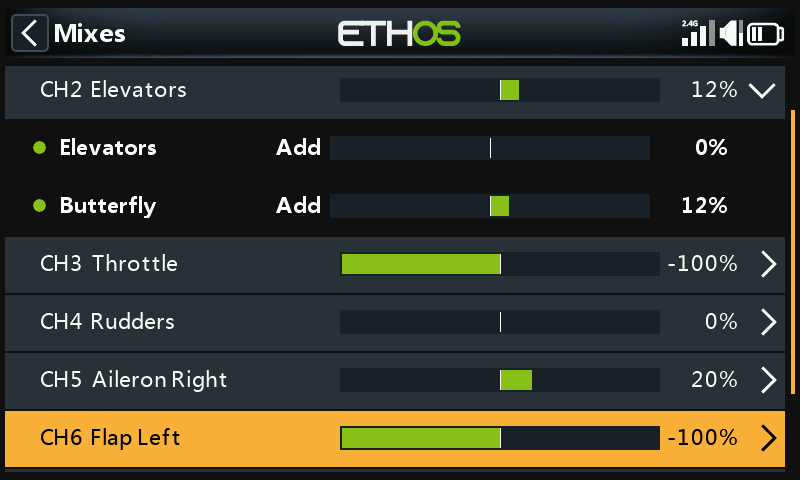
Switch to View by channel on the Elevator to watch every contributing mix (stick input + Butterfly compensation) update together as the throttle/brake stick moves — much easier to debug than the flat table view.
Tip
Data on required elevator travel vs. flap deflection (from the airframe's manufacturer, or community sources) is worth having before dialing in the compensation curve's starting values. Lacking that, start with a few millimeters of elevator travel per full flap deployment and refine from there.