Low Battery Voltage Warning
Monitoring flight-pack voltage under load and alerting below a threshold is a more reliable approach than relying on a fixed timer — a sensor such as a FrSky FLVSS makes this straightforward.
1. Connect and discover the sensor
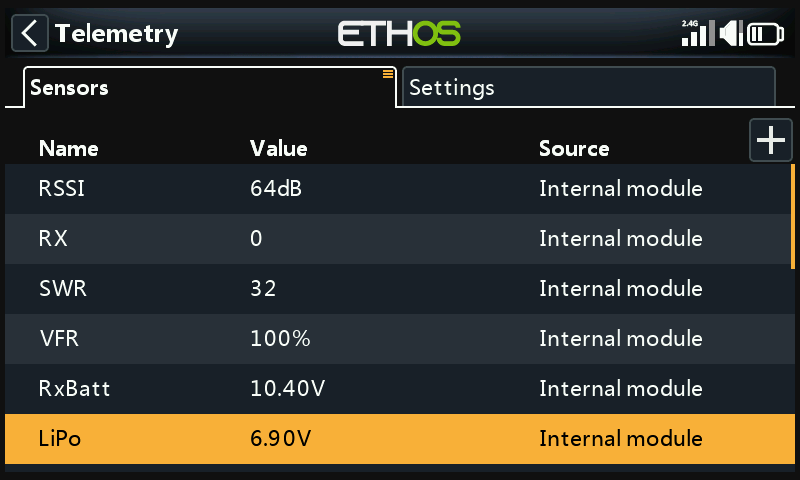
Set Receiver Options → Telemetry Port to S.Port, connect the FLVSS to the receiver via an S.Port cable, then enable Discover new sensors under Telemetry — the LiPo sensor appears alongside the others already discovered.
2. Add a logical switch
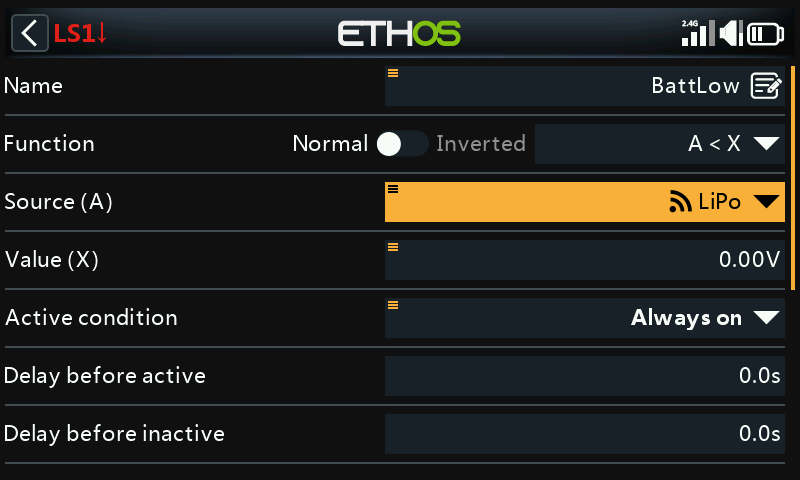
Add a new logical switch with the
Lipo sensor as its source. Long-press ENT on the highlighted sensor to
choose which of its values to use:
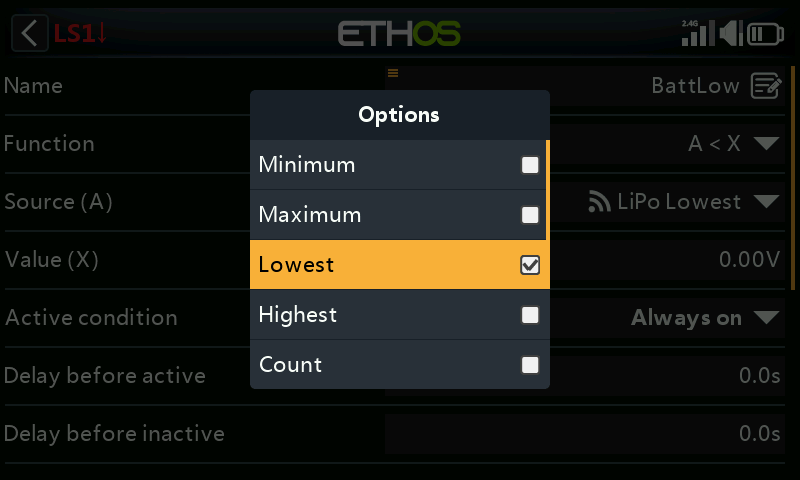
- Min pack voltage / Max pack voltage
- Lowest cell voltage / Highest cell voltage
- Cell count
- Individual cell voltages (only selectable while the sensor is actually connected to a bound receiver with a LiPo attached)
Select Lowest (cell voltage) — the value that matters for LVC-style protection.
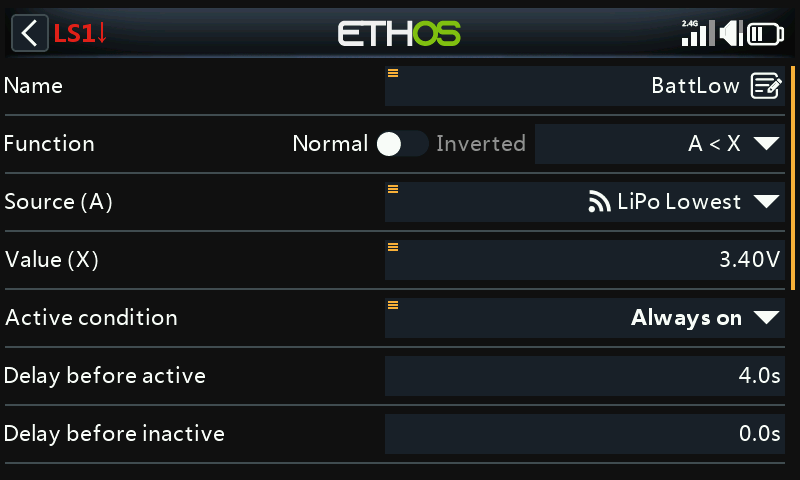
Set the comparison value to around 3.4V and Delay before active to 4 seconds — the switch goes true once the lowest cell has read below 3.4V per cell continuously for 4s or more. (3.4V under load typically recovers to around 3.7V once load is removed, so this threshold reflects a real sag, not just momentary noise.)
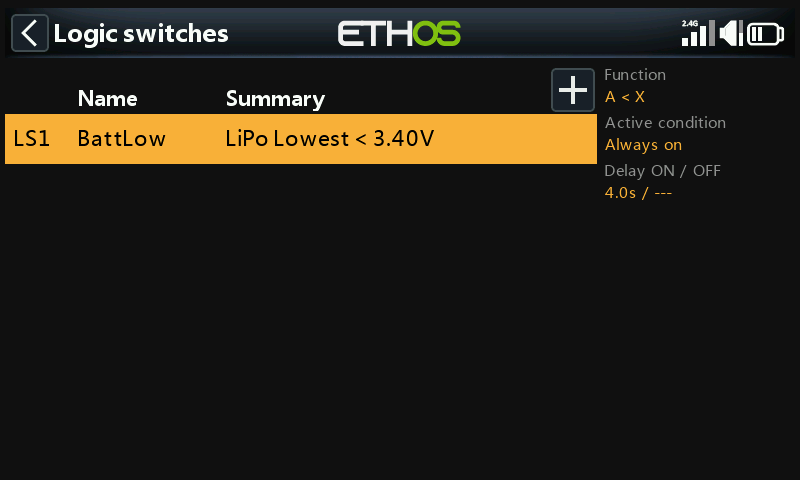
3. Add a special function
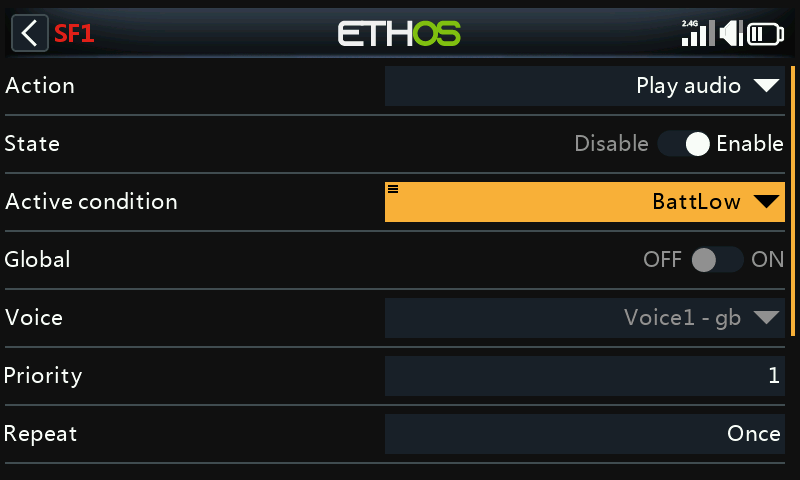
Add a Play audio special function,
Active condition set to the BattLow logical switch, choose a voice,
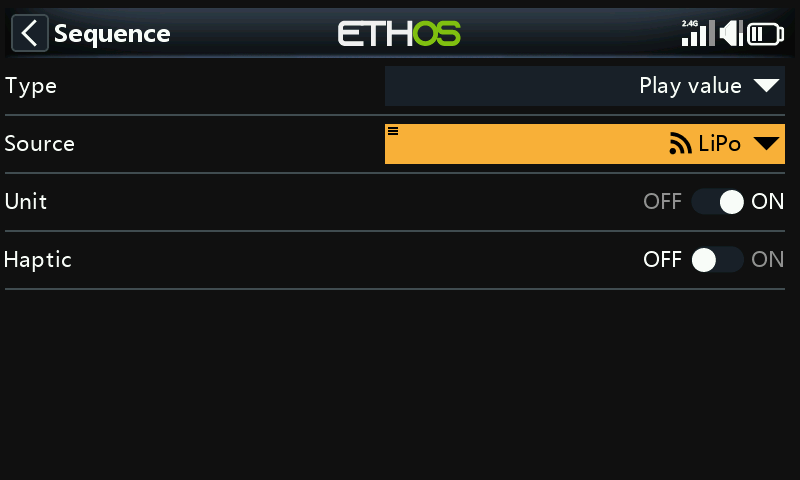
and under Sequence add a Play value step for the LiPo total
voltage:
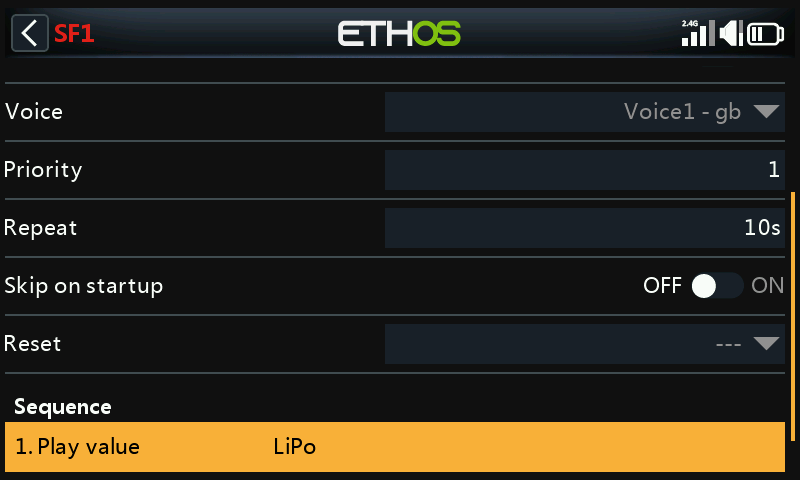
With Repeat set to 10 seconds, the LiPo voltage is spoken every 10s for as long as the lowest cell stays below the 3.4V/4s threshold.