Overview
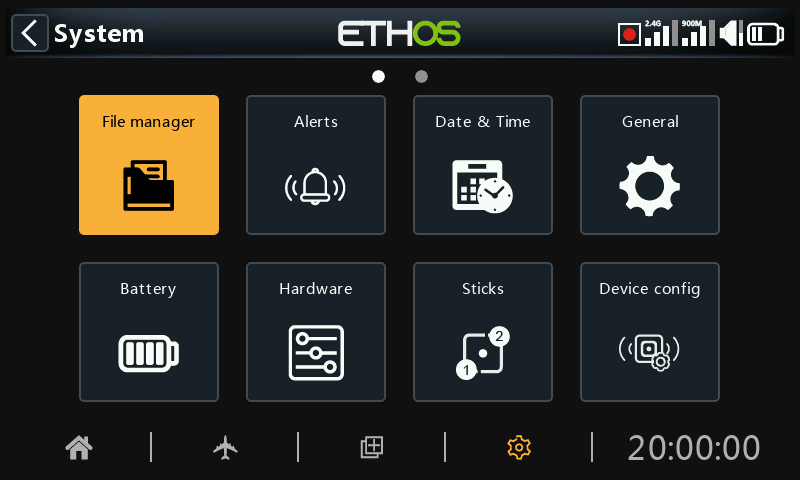
Within System Setup, touch a tile to configure the selected section, or use the rotary selector to move the highlight to the desired tile, then press Enter. You can swipe left to access the second page of functions, or use the rotary selector to move the highlight to the second page. Alternatively, the Page key may be used to switch between the pages.
File manager
The file manager is for managing files and for access to flash firmware to the internal RF module, external S.Port, OTA (Over The Air) and external modules.
Alerts
Configuration of the silent mode, radio and RTC battery voltages, sensor conflict, and inactivity alerts.
Date & Time
Configuration of the system clock and time display options.
General
For configuring the menu style, system language, and LCD Display attributes such as brightness and backlight, as well as audio, vario and haptic modes and settings. Additionally the top toolbar options, model selection at power on, and USB mode preselection can be configured.
Battery
Configuration of battery management settings.
Hardware
This section allows checking of the hardware physical input devices, and analogs and gyro calibration. It also allows the switch type definitions to be changed, and the ‘home key’ map to be defined.
Sticks
Configuration of the stick mode, and the default channel order. The 4 stick controls can also be renamed.
Device config
Tools for configuring devices like sensors, receivers, the gas suite, servos and video transmitters.
Info
System information for firmware version, gimbals types and RF modules.