Instant Take-Back for the Trainer Function
A useful enhancement to the Trainer function: instead of only a switch, the instructor can reclaim control instantly just by moving the aileron or elevator stick — no need to find the trainer switch first if something goes wrong.
The trainer switch still starts the session; a Sticky logical switch drives the trainer function itself, cancelled either by the switch going off or by detecting instructor stick movement.
1. Aileron detect logical switch
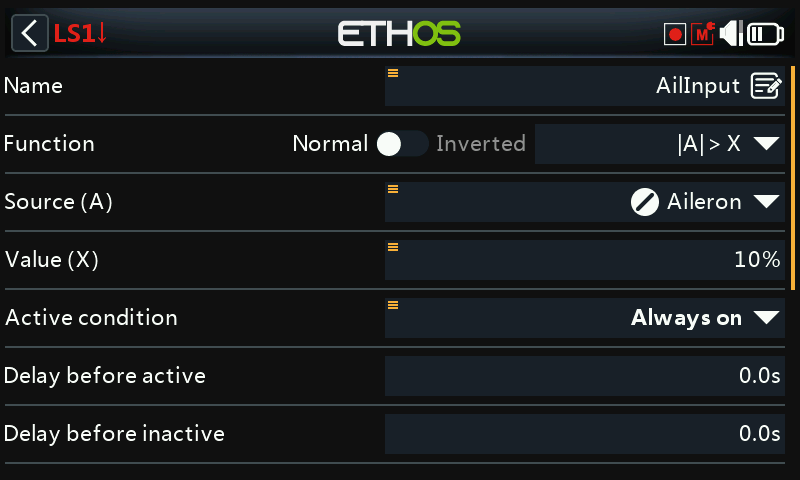
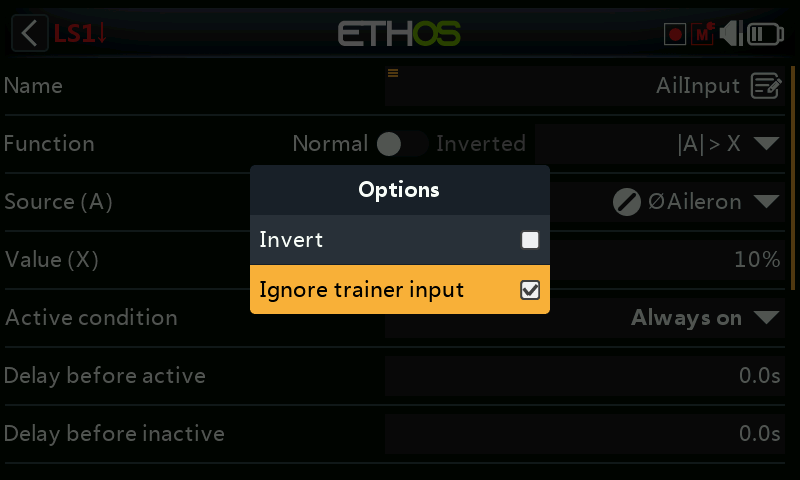
A logical switch using |A| > X on the aileron stick, true when it moves more than 10% off center in either direction. Long-press the aileron source and select Ignore trainer input, so the student's aileron movement (arriving via the trainer link) doesn't also trigger it:
2. Elevator detect logical switch
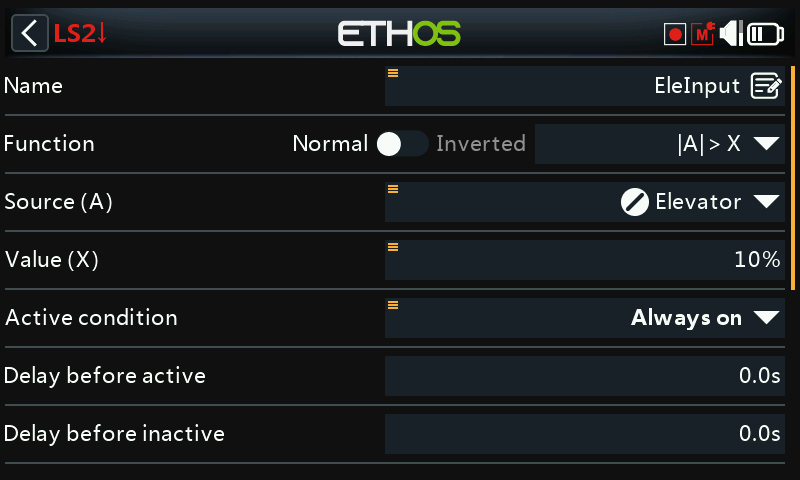
The same pattern, on the elevator stick.
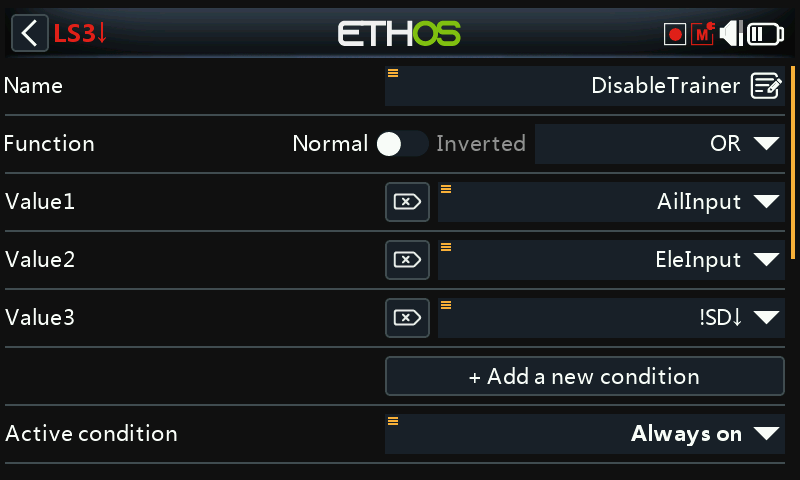
3. Cancellation logical switch
An OR logical switch, true when either the aileron-detect or elevator-detect switch is true, or the trainer switch (e.g. SD) is not down — i.e. any of "instructor moved a stick" or "trainer switch turned off" ends the session.
4. Trainer-enable Sticky logical switch
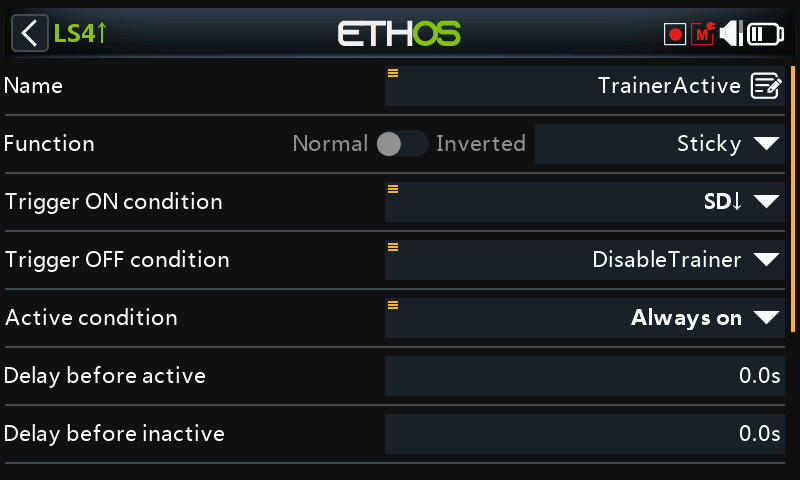
A Sticky logical switch: Trigger ON is the trainer switch (SD
down), Trigger OFF is the cancellation switch from Step 3. Use this
Sticky switch — call it TrainerActive — as the Trainer function's own
active condition instead of the raw switch.
5. Audio feedback
Add Play Audio special functions
announcing when TrainerActive becomes true and when it clears, so both
pilots get a clear audible cue for exactly when control changes hands.