User Defined Text Checklist
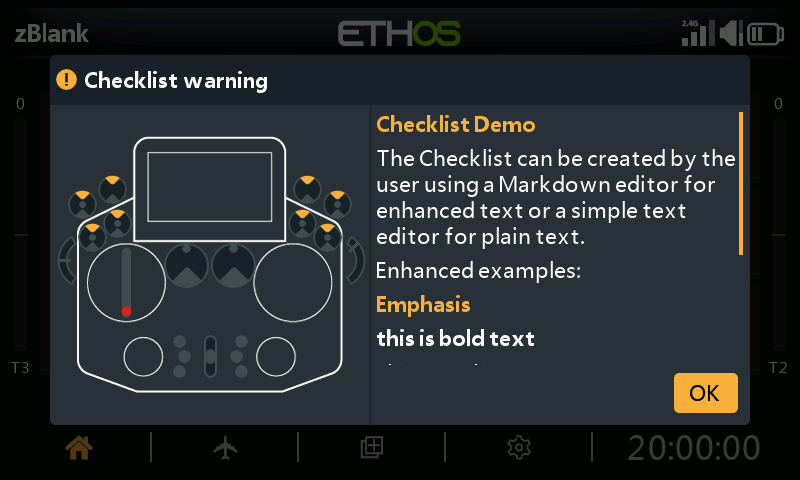
The Checklist function can display custom text at startup — plain text or Markdown-formatted — automatically, every time that model is loaded.
1. Create the checklist text
Plain text — write it in any text editor (Notepad++, or even MS
Word saved as plain text) and save as <model name>.txt.
Enhanced text (Markdown) — Ethos supports Markdown formatting, e.g.
## for a heading, **bold** for bold text. Use any text editor
(embedding the Markdown syntax by hand) or a dedicated Markdown editor
(Nextpad, MarkText, etc.), and save as <model name>.md.
## Emphasis
**this is bold text**
*this is italic text*
2. Copy it to the radio
Copy the file into the same models/ folder as the model's own .bin
file (see File Manager),
then safely eject the radio's drives before disconnecting.
3. Review it
Load the model — the checklist text now appears as part of the startup checks automatically, scrollable if it runs longer than one screen.