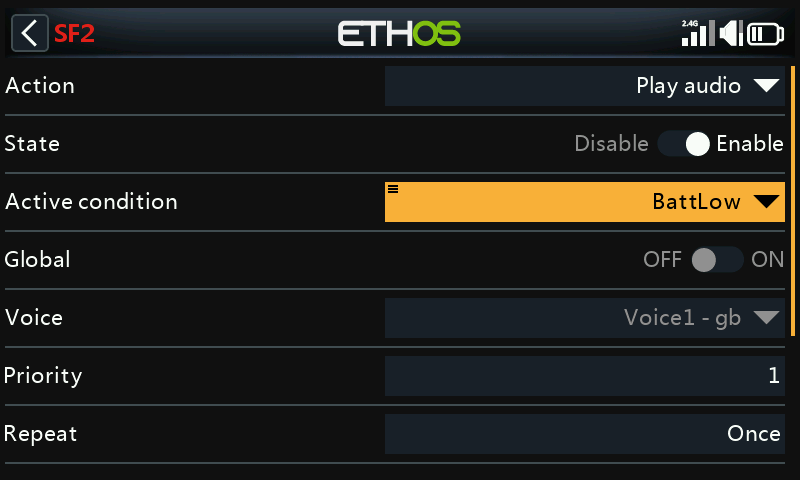
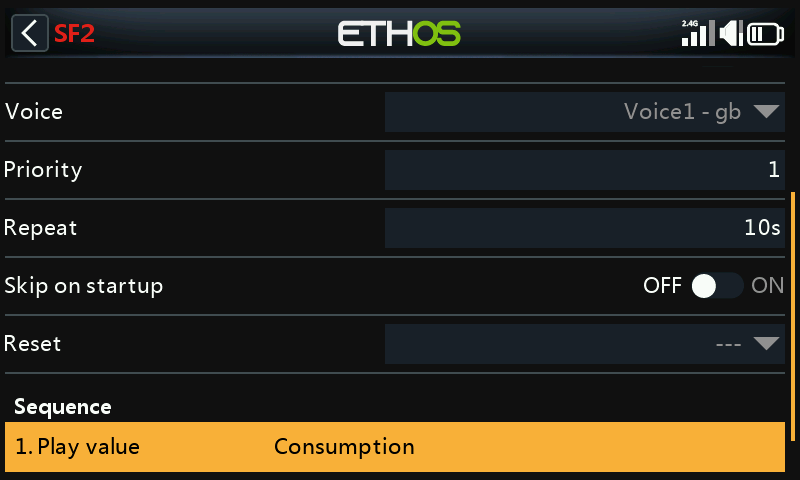
Battery Capacity Warning
Warning on consumed capacity (mAh) rather than voltage — a more direct measure of how much of the pack is actually used up. Two ways to get there, depending on what hardware is fitted.
Option A: a Neuron-series ESC
FrSky's Neuron ESCs report consumption directly — no calculated sensor needed. Set Receiver Options → Telemetry Port to S.Port, connect the Neuron's telemetry lead, and discover sensors — the sensor of interest is ESC Consumption.
- Add a logical switch on
ESC
   Consumption
, true above (say) 900mAh — roughly 60% of a pack sized to land with ~30% still in reserve. - Add a Play audio special
function, active condition the
new switch, with a Play value step for
ESC Consumption.
As a second line of defense, Neuron ESCs also report ESC Voltage — set up a second logical switch the same way as Low Battery Voltage Warning (below 3.4V/cell for 4s — e.g. 13.6V for a 4S pack), with its own Play audio function repeating every 5 seconds.
Option B: a current sensor + calculated sensor
If the ESC doesn't report consumption, a current sensor (e.g. FrSky FASxxx) combined with a calculated Consumption sensor does the same job.
1. Connect and discover
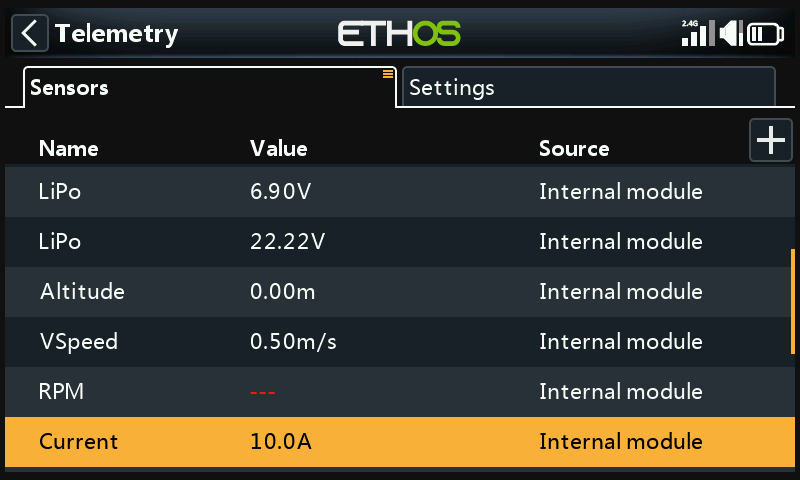
Connect the current sensor's S.Port lead and discover it — it appears as Current. Set its Range to match the sensor (e.g. 0–100A for a FAS100):
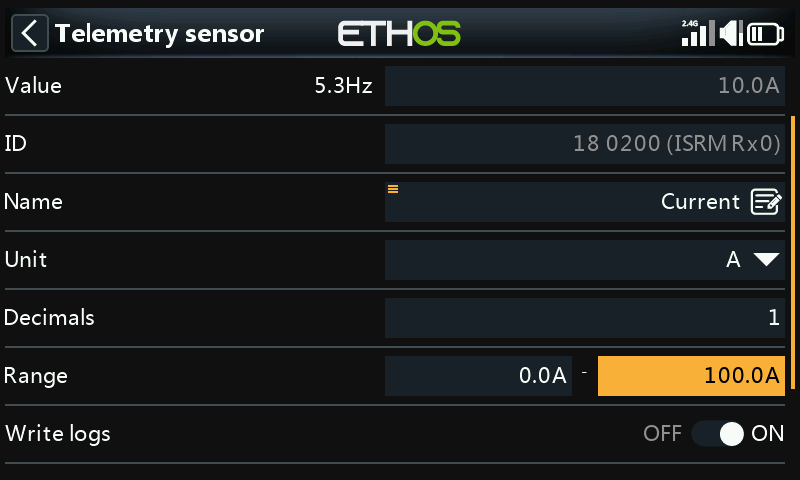
2. Create the calculated Consumption sensor
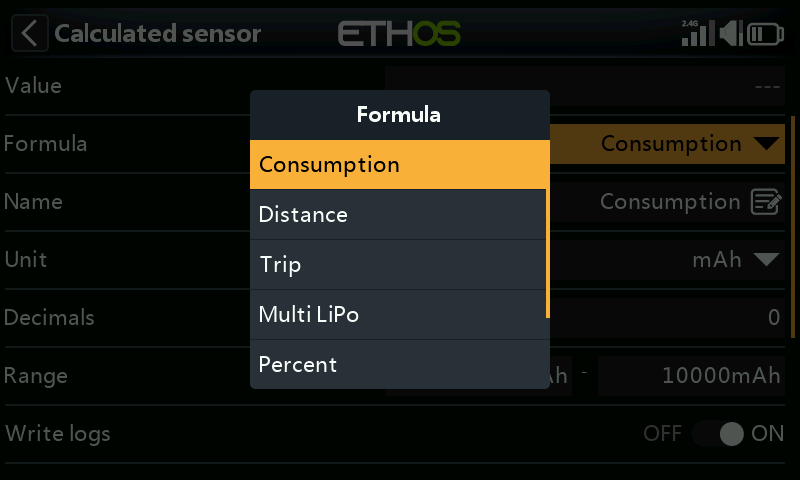
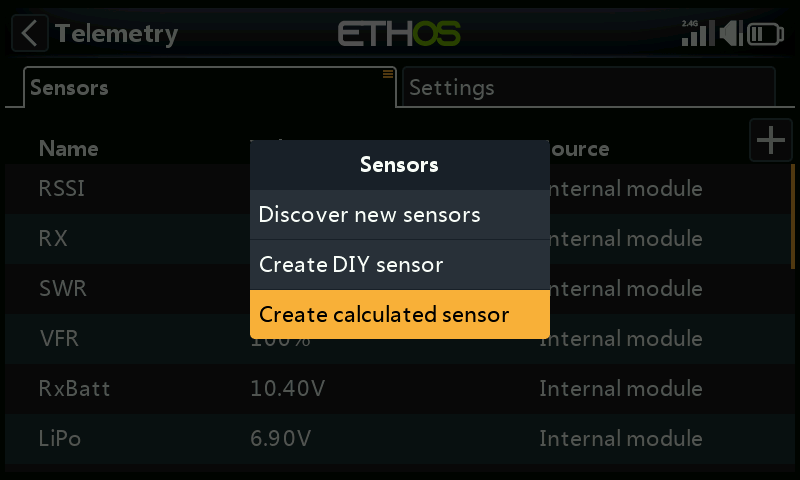
In Telemetry, Create Calculated Sensor → Consumption. Set units
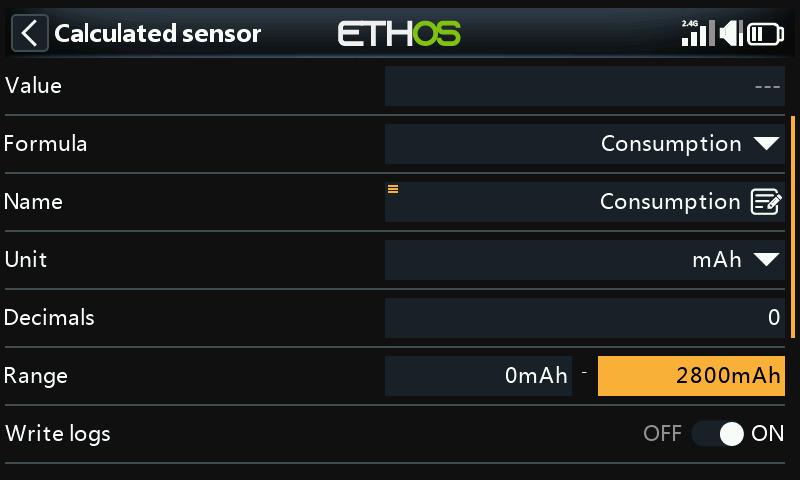
to mAh and Range to the pack's capacity (e.g. 2800mAh); Source
to Current.
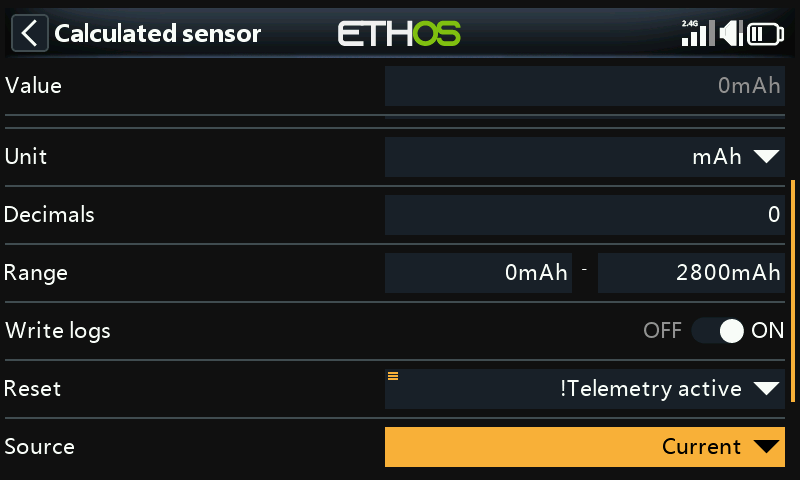
Set Reset to system event !Telemetry Active — select Telemetry
Active, long-press ENT, and choose Invert — so the running total
resets automatically once telemetry drops out (i.e. the model is powered
off).
3. Milestone callouts
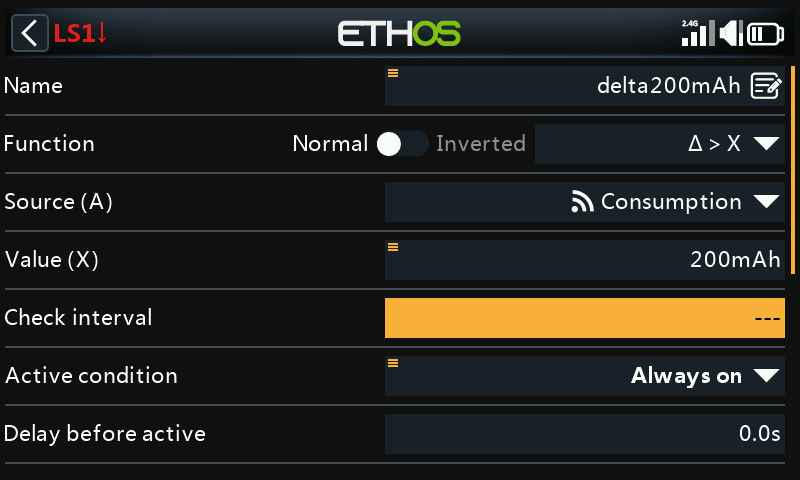
Add a logical switch using the Δ > X function on Consumption,
firing every time it climbs by a fixed step — e.g. every 200mAh, a
convenient fraction of a 2800mAh pack.
Tip
Set Check interval to --- (infinite) so it keeps accumulating
toward the next threshold indefinitely rather than resetting after a
fixed window. Give Min Duration a small non-zero value while
debugging — at 0.0 the trigger is too brief to see on screen.
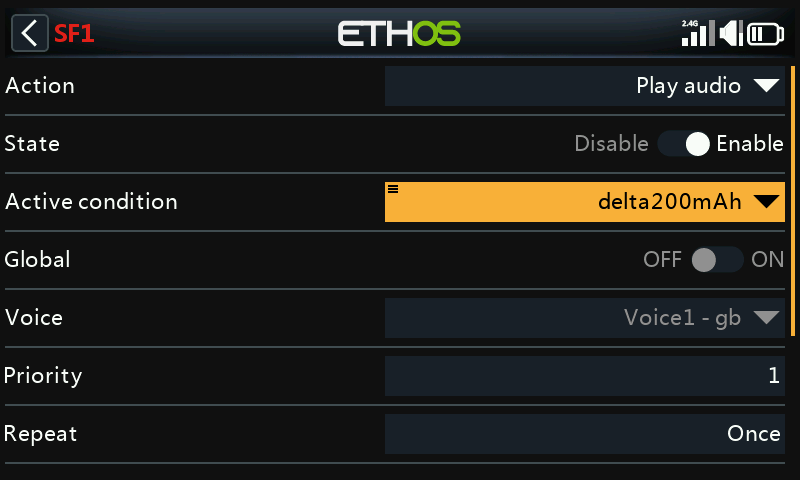
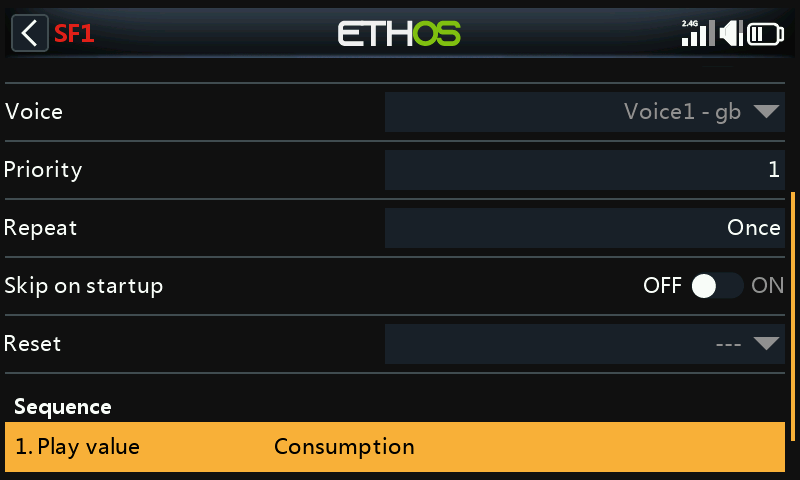
Add a Play Audio function, active condition this switch, with a Play
value step for Consumption:
4. Low-capacity warning
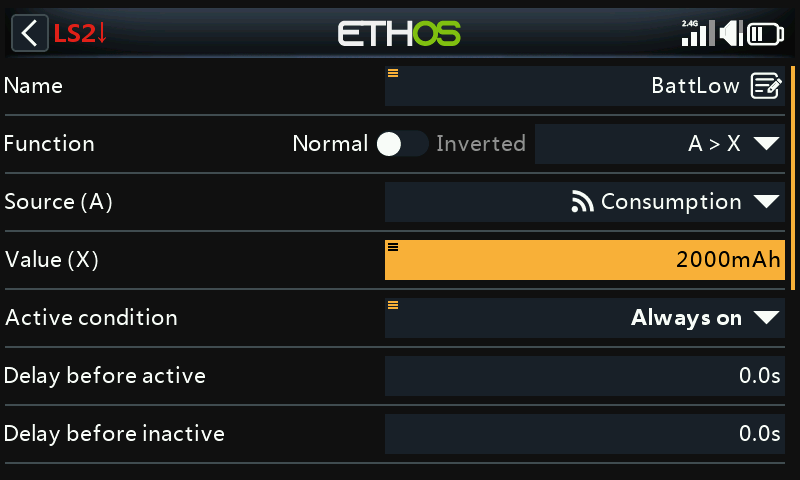
A second logical switch fires once, past a hard low-capacity threshold — e.g. 2000mAh out of a 2800mAh pack — paired with a Play Audio function repeating every 10 seconds until the model is reset: