X20 Pro / X20 Pro AW
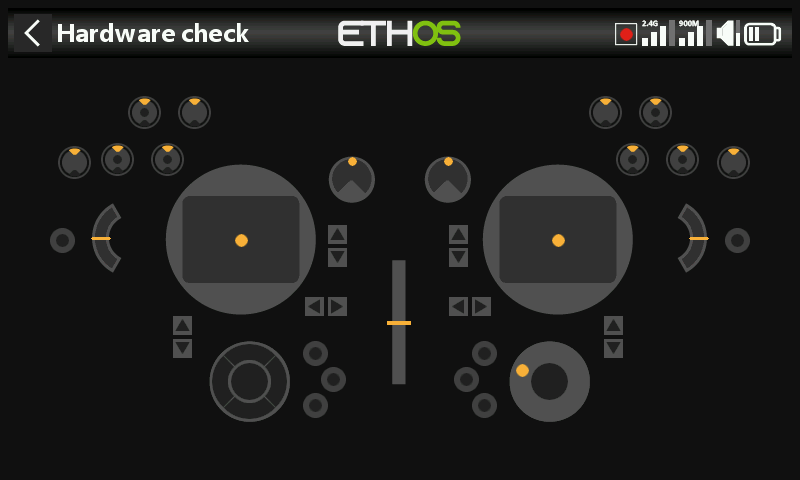
Differences from the X20S baseline this manual is written against — these apply to the X20 Pro, and mostly extend to the X20 Pro AW and X20R/RS family too.
- Storage — internal 8GB eMMC by default, SD card optional — see General → Storage location.
- Extra trims — adds trim switches T5 and T6 — see Trims.
- Extra switches — two latching pushbutton switches, K and L, on the rear shoulders, plus switch positions M/N if wired (typically stick-end switches) — see Hardware → Switches.
- Extra pots — Ext1/Ext2, typically used with 3-axis gimbals — see Hardware → Pots/Sliders. This shifts the ADC value inspector index: Ext1/Ext2 sit between Pot2 and the sliders.
- Haptic feedback — the X20 Pro AW and X20RS ship with MC20R gimbals with haptic stick-shaker motors built in; an X20 Pro or X20R can gain the same via a retrofit MC20R gimbal upgrade, enabled under Hardware → Enabling haptic gimbal upgrades. Once enabled, Select haptic motors offers Default, All motors, Left stick, or Right stick.
- Rotary encoder — the X20 Pro AW and X20R/RS use a more sensitive encoder; a half steps option under Hardware → Encoder option tones it down.
- Internal RF module — the X20 Pro/R/RS use the TD-ISRM Pro module (LoRa-capable, with tandem dual-band and TD-Pro modes in addition to ACCESS/ACCST D16), rather than the TD-ISRM module in the X18/X20/X20S/X20HD — see RF System.