Additional Displays
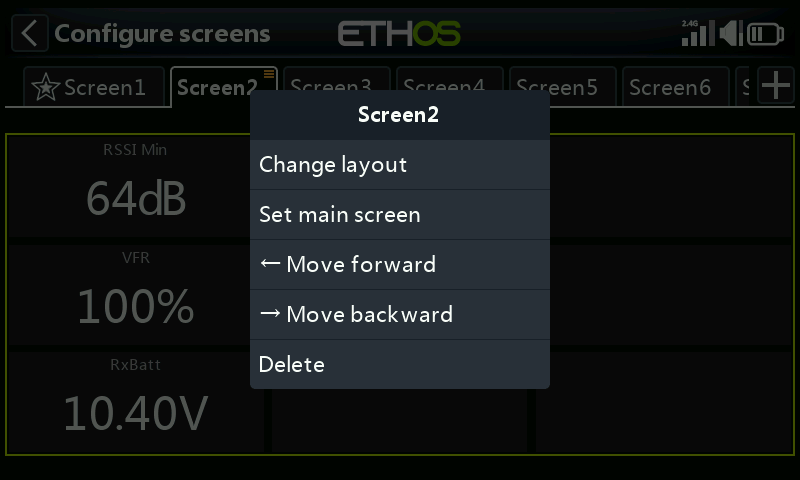
The default model comes with one screen (a model bitmap plus three timer widgets), but up to eight screens total are supported. Tap the + next to "Screen1" to add another:
- Choose from 15 layouts, including four dedicated home-screen layouts and a full-screen option, holding up to 9 widgets — configured exactly like the first screen. Any screen can be set as the home screen.
- Screens can be reordered or deleted from their own edit dialog (tap
Screen1, Screen2, etc.) — long-touch a screen's tab, or long-press
ENT.
Top screen (XE series)
The XE series radios have a separate, small top screen above the main
display, configured the same way but independently — long-touch its tab
(or long-press ENT) for a choice of 4 dedicated top-screen layouts. Its
default widget is the model bitmap (set in Model Edit
or a new-model wizard), same as the main screen's.
Worked example
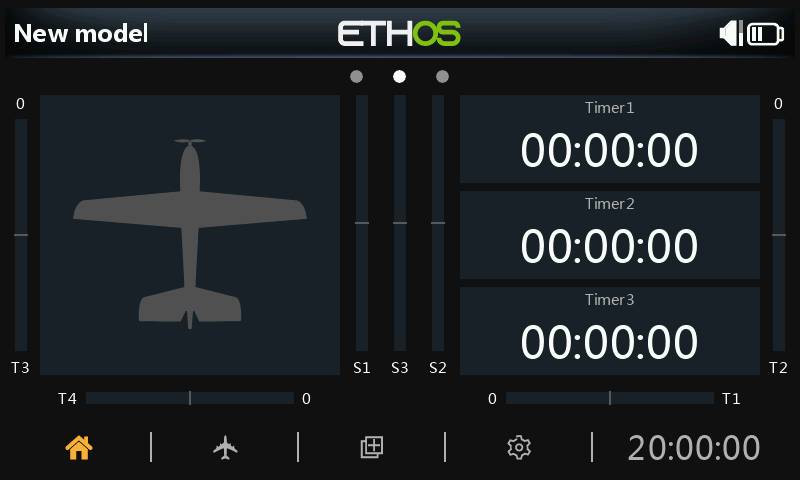
A typical layout: the model bitmap (configured in Model Edit → Picture) on the left, with receiver battery voltage, RSSI, and a "Throttle ACTIVE" Status widget (a community-built Lua widget from the FrSky - ETHOS Lua Script Programming rcgroups thread) stacked on the right. Tapping any widget opens its configuration, or jumps to the main Configure Screens function.
Screen-level options
Beyond individual widgets, each screen has its own settings — layout grid
size, background, and which screens are included in the PAGE cycle.
See Displays for the widgets themselves, and Custom Widgets for adding Lua-scripted widgets beyond the built-in set.